
The second step in sending an attachment using this system is to go ahead and compose a new message just as you normally would. After you have included the recipient, subject and body of the message scroll down to the bottom of the screen. Here you will find a button marked browse that will allow you to browse your hard drive to find the file to include as an attachment. Click browse before proceding to the next step.
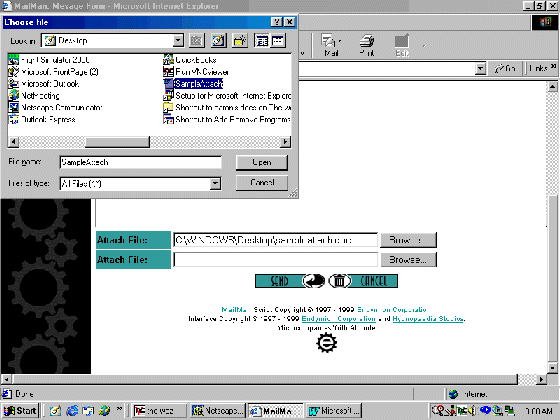
After you have clicked on Open you can now click the Send button to send the e-mail message and its attachment. The server should respond after several seconds and tell you that the message has been sent.
The different ways to send attachments on e-mail has many variations, but in most cases the method described above will cover many different web-based systems. Programs such as Outlook Express, Eudora, and Outlook automate many of these steps, but you still have to be able to locate the files to send.